React basics and component deep dive



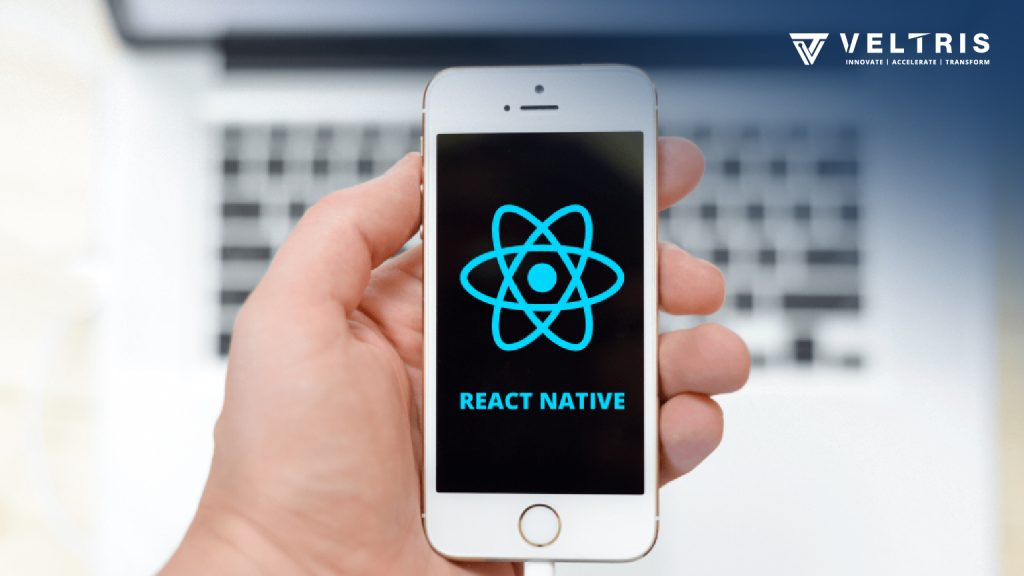
React is a Javascript library for building user interfaces. It is used to build a single page application and allows us to create reusable UI components.
Why React?
- UI state becomes difficult to handle with vanilla JS.
- Single page application means only one HTML page, content is (re) rendered. Typically, only one ReactDOM.render() call.
- Optimizes the code.
- Uses dependency management tools like npm and yarn.
- Uses Bundler (Recommended: webpack).
- Uses the compiler( Next-Gen Javascript) Babel + Presets.
- Uses a development server.
What is JSX?
JSX is not HTML but it looks a lot like it. JSX is syntactic sugar for Javascript, allowing you to write HTMLish code instead of nested React.createElement(…) calls.
Class App extends Component
{
  render(){
   return(
     //Everything written in JSX will always be in one root element.
     <div className="App">
     <h1> Hi, I am written in JSX</h1>
     </div>
   )
  }
}
What is a Component?
Components are the core building block of React apps. Actually, React really is just a library for creating components in its core.
A typical react app therefore could be depicted as a component tree having one root component (“App”) and then a potentially infinite amount of nested child components.
Each component needs to return/render some JSX code. It defines which HTML code react should render to the real DOM in the end.
There are two ways of creating components.
- Functional Component- also referred to as “Presentational”, “Dumb” or “Stateless” components.
- Class Components- also referred to as “Containers”, “Smart” or “Stateful” components.
Stateless and Stateful Components
Class-based/ Stateful Components
- Class className extends Components.
Class App extends Component
{
render() {
return <p> Hi I am React class component </p>
}
}
3. Can access the state.
4. Have the Lifecycle Hooks.
5. Access state and props via “This”.
Functional-based/Stateless Components
- Syntax:- FunctionName=(props)=>{}
const example=()=>{
return
I am a Functional Component
}
- Can access the state using react hooks i.e useState().
- No life cycle hooks.
- Access props via “props”.
Working with Props and State
Props allow you to pass data from a parent(wrapping) component to a child(embedded) component.
Whilst props allow you to pass the data down the component tree, the state is used to change the component’s state from within.
Changes in both triggers the UI update and only class components can define and use state whereas for functional components we use a library called React Hooks.
//Working with the props

//In parent class
class BrooklynNineNine extends Component{
  render(){
    return(
      <div className="brooklynNineNine">
      <Jake position="detective" age="30">Best detective</Jake>
      </div>
    )
  }
}

//In Child component
const Jake=(props)=>{
return(
  <div className="jake-peralta">
   <p>Jake is a {props.position} and he is {props.age} years old.</p>
    //Using the "Children" Props
   <p>Jake is the {props.children}</p>
  </div>
)
}


// Working with state

Class BrooklynNineNine extends Component
{
  state={
    detectives:[
      {
        name:'Jake Peralta',
        age:30
      },
      {
        name:'Amy Santiago',
        age:28
      },
      {
        name:'Rosa Diaz',
        age:28
      }
    ]
  }
  render(){
    return(
      <div className="brooklynNineNine">
      <h1>World's Finest Detectives</h1>
      <p>{this.state.detectives[0].name}</p>
      <p>{this.state.detectives[1].name}</p>
      <p>{this.state.detectives[2].name}</p>
      </div>
    )
  }
}
Props and State are the core concept of React. Only changes in props or state trigger react to re-render the component.
Manipulating the state
The state is used to change the component’s state from within. Changes to a state trigger the UI update. It can be accessed with “this” reference for example this.state.detectives and inside the return, we can use the {} braces to print the state.
There are certain precautions to use and manipulate the state. As we earlier discussed that change in state results in the re-rendering of the component.
That’s why we use this.setState(data,callback). Here’s an example
// Manipulating state

Class BrooklynNineNine extends Component
{
  state={
    detectives:[
      {
        name:'Jake Peralta',
        age:30
      }
    ]
  }

  switchNameHandler=(newName)=>{
    //Don't
    this.state.detectives[0].name='Wuntch' //this will give us an error

    //Do
    this.setState(
      {
        detectives:{name: newName, age: 30}
      }
    )
  }
  render(){
    return(
      <div className="brooklynNineNine">
      <h1>World's finest detective</h1>
      <p>{this.state.detectives[0].name}</p>
      <button onClick={()=>this.switchNameHandler('Rosa Diaz')}>Name Change</button>
      </div>
    )
  }
}
Class component lifecycle overflow
Component lifecycle is only for Class-based components
These methods are known as Lifecycle methods.
So, what exactly are lifecycle methods? The lifecycle methods are the methods that get triggered at a certain point in component creation and updating.

- Component Creation Lifecycle
Creation consist of 3 mounting lifecycle methods
getDerivedStateFromProps(props,state)
When props change for class-based component the state can sync state to props.
render()
render() the JSX code that we return
componentDidMount()
The method that we use to make HTTP requests to get new data from the web.
- Component Update Lifecycle
React follow the lifecycle for both creations as well as updating the components.
So, react fo through a different evaluation when props or state gets an update.
There are 5 updating lifecycle methods
For props change:
getDerivedStateFromProps(props,state)
Sync the state to props
shouldComponentUpdate(nextProps,nextState)
Decide if to continue or not
render()
render() the JSX code that we return
getSnapshotBeforeUpdate(prevProps,prevState)
Perform the last minute DOM operations
componentDidUpdate()
It can call HTTP requests and also updates the state and re-render the component
For State change:
shouldComponentUpdate(nextProps,nextState)
Decide if to continue or not
componentDidUpdate()
It can call HTTP requests and also updates the state and re-render the component